Introduction
Claude, built by Anthropic, is one of the most capable AI models available for building chatbots, automation tools, and AI-powered applications. To use Claude through code rather than the chat interface, developers need a Claude API key, which connects their application to Anthropic's models like Claude Opus, Sonnet, and Haiku. While the process of getting an API key is fairly quick, first-time users can get confused about where to sign up, how billing works, and how to keep the key secure. This post walks through the common points of confusion and provides a clear, step-by-step guide to getting your Claude API key.
The Problem
Developers trying to get a Claude API key for the first time often run into a few common points of confusion:
- Confusing account types: Many people don't realize that a Claude.ai chat subscription (Pro or Max) is completely separate from API access — even existing Claude.ai subscribers need to create a separate developer console account to get an API key.
- Unclear billing requirements: Since the Claude API doesn't offer an ongoing free tier, developers are sometimes surprised to learn they need to add a payment method before making real API calls, beyond a small one-time starting credit.
- Uncertainty about where to sign up: With Anthropic's console having moved to a new domain, some guides and links reference outdated URLs, which can be confusing for first-time users.
- Not knowing how to secure the key: Since the API key is only shown once at creation, developers sometimes lose access to it by closing the dialog before copying it, requiring them to delete and regenerate a new key.
- Confusing errors on first use: Beginners often run into authentication or billing errors on their first API call, without knowing whether the issue is with the key itself, the request, or their account's payment status.
Without a clear walkthrough, this simple setup process can end up taking longer than necessary and cause avoidable early frustration.
The Solution
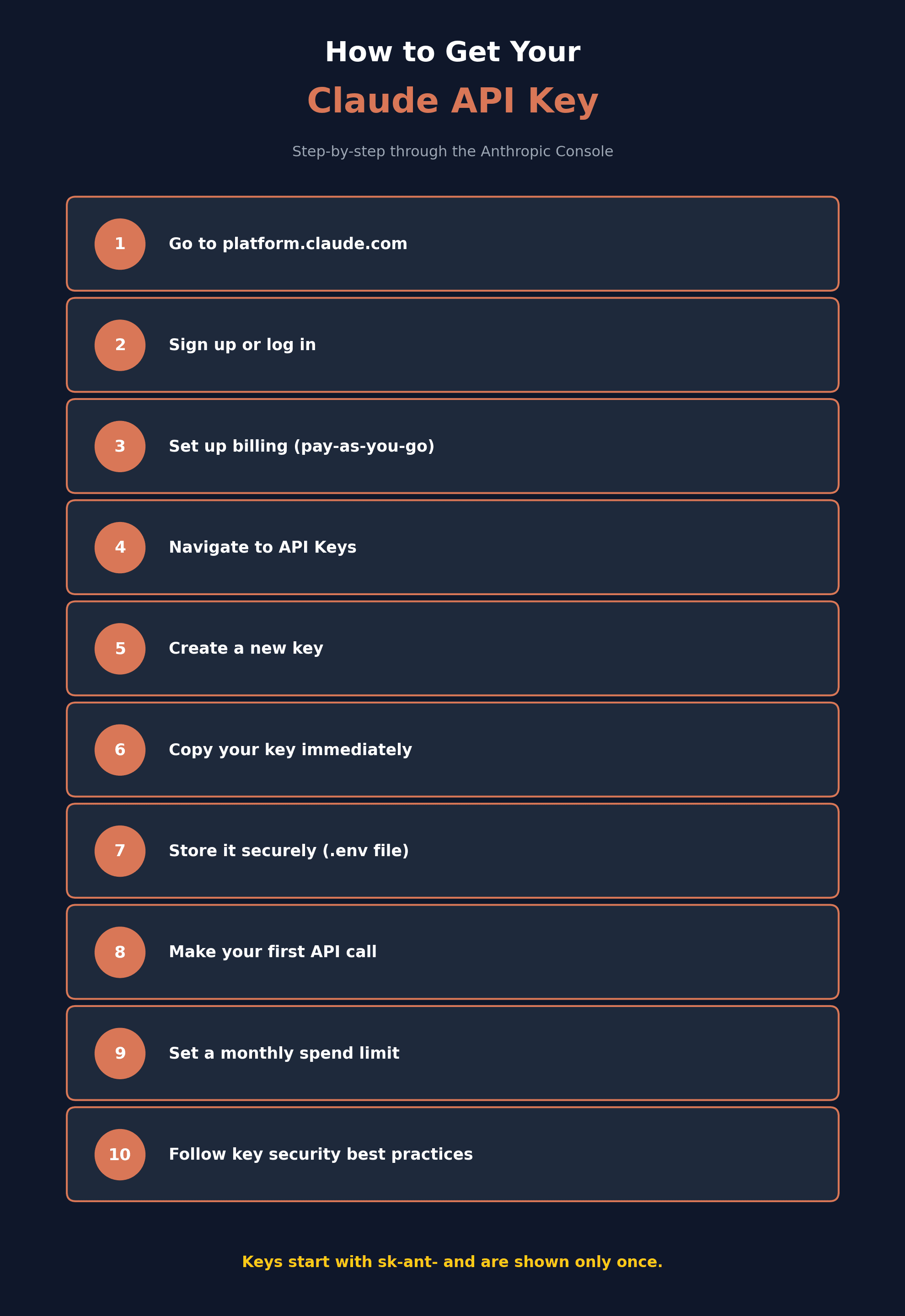
Here's a clear, step-by-step process for getting your Claude API key:
- Go to the Anthropic Console: Visit platform.claude.com (older links to console.anthropic.com will redirect here) to begin. Note that this is a separate account from a regular Claude.ai chat subscription, even if you already use Claude Pro or Max.
- Sign up or log in: Create an account using your email, Google account, or SSO if your organization supports it. You'll typically need to verify your phone number as part of account setup.
- Set up billing: Since the Claude API is pay-as-you-go with no ongoing free tier, add a valid payment method under the Billing section. New accounts often receive a small one-time credit to test with, but this isn't a recurring free allowance.
- Navigate to API Keys: Once signed in, find "API Keys" in the console's sidebar (usually under a "Manage" section).
- Create a new key: Click "Create Key," then give it a clear, descriptive name (such as "production-api" or "local-dev") so it's easy to identify later if you're managing multiple keys.
- Copy your key immediately: Your key will be displayed only once, starting with the prefix sk-ant-. Copy it right away and store it somewhere secure, such as a password manager or an environment variable — if you close the dialog without copying it, you'll need to delete it and create a new one.
- Store the key securely: Save your key in an environment variable (like ANTHROPIC_API_KEY) rather than hardcoding it directly into your source code, and make sure it's excluded from version control using a .gitignore file.
- Make your first API call: Using Anthropic's official SDK (available for Python and JavaScript) or a simple curl request, send a test message to confirm your key is working correctly.
- Set spend limits: Under the Billing section, consider setting a monthly spending cap to avoid unexpected charges from a bug, script error, or leaked key.
- Follow key security best practices: Never expose your API key in frontend code, use separate keys for different projects or environments, and rotate keys periodically for better security.
Following these steps ensures your Claude API key is set up correctly, stored securely, and ready to use in your application.
Conclusion
Getting a Claude API key is a quick process once you know where to look and what to expect around billing and account setup. By signing up at platform.claude.com, adding a payment method, generating your key, and following basic security practices like using environment variables and setting spend limits, you'll be ready to start building with Claude's API safely and confidently. For the most current setup details, always refer to Anthropic's official documentation, since account and billing flows can be updated over time.